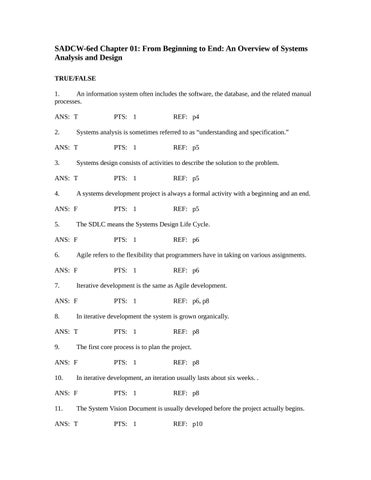
SADCW-6ed Chapter 01: From Beginning to End: An Overview of Systems Analysis and Design TRUE/FALSE 1. An information system often includes the software, the database, and the related manual processes. ANS: T 2.
REF: p6
PTS: 1
REF: p6
PTS: 1
REF: p6, p8
PTS: 1
REF: p8
PTS: 1
REF: p8
In iterative development, an iteration usually lasts about six weeks. .
ANS: F 11.
PTS: 1
The first core process is to plan the project.
ANS: F 10.
REF: p5
In iterative development the system is grown organically.
ANS: T 9.
PTS: 1
Iterative development is the same as Agile development.
ANS: F 8.
REF: p5
Agile refers to the flexibility that programmers have in taking on various assignments.
ANS: F 7.
PTS: 1
The SDLC means the Systems Design Life Cycle.
ANS: F 6.
REF: p5
A systems development project is always a formal activity with a beginning and an end.
ANS: F 5.
PTS: 1
Systems design consists of activities to describe the solution to the problem.
ANS: T 4.
REF: p4
Systems analysis is sometimes referred to as “understanding and specification.”
ANS: T 3.
PTS: 1
PTS: 1
REF: p8
The System Vision Document is usually developed before the project actually begins.
ANS: T
PTS: 1
REF: p10
12.
The project plan is required to get the project approved.
ANS: F 13.
PTS: 1
REF: p11
A Work Breakdown Structure is the first step in building a project schedule.
ANS: T
PTS: 1
REF: p12
14. During analysis activities the project team build two types of diagrams: Use Case diagram and Package diagram. ANS: F 15.
REF: p20
PTS: 1
REF: p22
PTS: 1
REF: p22-23
PTS: 1
REF: p25
One approach to the SDLC can be described using five core processes.
ANS: F 22.
PTS: 1
Usually the final step in a given iteration is to deploy part of the system.
ANS: F 21.
REF: p17
A package diagram is useful to document the various subsystems in a system.
ANS: T 20.
PTS: 1
All the classes in the Design Class Diagram are used to define the database tables.
ANS: F 19.
REF: p17
The database is designed using information from the class diagram.
ANS: T 18.
PTS: 1
The ovals in a workflow diagram represent tasks.
ANS: T 17.
REF: p15-16
The purpose of a workflow diagram is to document the internal steps of a use case.
ANS: T 16.
PTS: 1
PTS: 1
REF: p6
An iteration normally only includes three or four of the core processes.
ANS: F
PTS: 1
REF: p8
23. Sometimes the activities within Core Process one are completed before the actual project starts. ANS: T
PTS: 1
REF: p9-10
MULTIPLE CHOICE 1.
An information system consists of
a.
software, database, and manual processes
c.
software, hardware, and database
b.
software, hardware, and network
d.
applications, screens, and database
ANS: A
PTS: 1
REF: p4
2. A person that functions as an architect to plan, capture the vision, and understand the needs for a new system is often called a ____________________. a.
programmer analyst
c.
systems analyst
b.
software engineer
d.
software developer
ANS: C
PTS: 1
REF: p5
3. Those activities that enable a person to describe in the detail the system that solves the need is called __________________. a.
architectural design
c.
systems analysis
b.
systems design
d.
high-level design
ANS: B 4.
PTS: 1
REF: p5
SDLC stands for what?
a.
Software Design Life Cycle
c.
Software Development Life Cycle
b.
Systems Design Life Cycle
d.
Systems Development Life Cycle
ANS: D
PTS: 1
REF: p6
5. An information system development process that emphasizes flexibility to embrace change is called _____________________. a.
Iterative project planning
c.
Iterative development
b.
Adaptive development projects
d.
Agile development
ANS: D
PTS: 1
REF: p6
6. When a system is partitioned into pieces, each piece is referred to as a _________________. a.
application
c.
subsystem
b.
package
ANS: C 7.
PTS: 1
d.
program
REF: 911
Two important goals or steps within Core Process one are ____ and _____.
a.
identify the problem; choose the project manager
c.
describe the solution; obtain project approval
b.
identify the solution objective; obtain project approval
d.
estimate the cost; identify the iterations
ANS: B
PTS: 1
REF: p10
8. Determine the major subsystems and assigning them to an iteration is done in which Core Process? a.
1
d.
4
b.
2
e.
5
c.
3
f.
6
PTS: 1
REF: p11
ANS: B 9.
Determining team members and assigning responsibilities is done in which Core Process?
a.
1
d.
4
b.
2
e.
5
c.
3
f.
6
PTS: 1
REF: p11
ANS: B 10.
Two of the primary elements that are included in a Work Breakdown Structure include:
a.
subsystem iteration assignments and estimated effort
c.
list of tasks and assigned resources
b.
sequence of tasks and estimated effort
d.
list of tasks and estimated effort
ANS: D
PTS: 1
REF: p12
11. The primary difference between a work breakdown structure and a work sequence draft is that the work sequence draft shows ___________________. a.
the additionally deployment tasks
c.
b.
the estimated effort of d. tasks
the day to day assignments the sequence of tasks
ANS: D 12.
PTS: 1
REF: p13
The purpose of a use case is to _______.
a.
Identify a sequence of c. steps to process a user function
Identify a useful objective for the new system
b.
Identify a business event that requires system action
Identify a user and describe one user procedure
ANS: B 13.
PTS: 1
d.
REF: p14
The purpose of a class diagram is to _______.
a.
document the hierarchy of class relationships
c.
document all of the programming classes
b.
document the methods of classes in the new system
d.
document the information requirements in the new system
ANS: D 14.
PTS: 1
REF: p16
The boxes on a class diagram can be thought of as a particular _______.
a.
set of relationships
c.
set of objects
b.
set of attributes
d.
set of procedures
ANS: C
PTS: 1
REF: p15
15. The diagram that is most effective in describing the internal steps of a use case is _______. a.
a package diagram
c.
a use case diagram
b.
a workflow diagram
d.
a class diagram
ANS: B
PTS: 1
REF: p17-18
16. Performing in-depth fact finding to understand details is done as part of which Core Process? a.
1
d.
4
b.
2
e.
5
c.
3
f.
6
PTS: 1
REF: p16
ANS: C 17. a.
In a workflow diagram, the arrows that cross the center line are used to identify what? Relationships
c.
User key strokes