CANVA ENTERPRISE GUIDE
For more information regarding the Canva EKU Team account, please visit www.eku.edu/in/guides/canva-enterprise
ACCESSING THE EKU TEAM
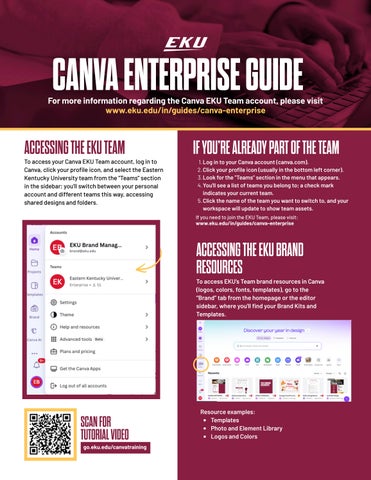
To access your Canva EKU Team account, log in to Canva, click your profile icon, and select the Eastern Kentucky University team from the "Teams" section in the sidebar; you'll switch between your personal account and different teams this way, accessing shared designs and folders.
IF YOU’RE ALREADY PART OF THE TEAM
1.Log in to your Canva account (canva.com). 2.Click your profile icon (usually in the bottom left corner). 3.Look for the "Teams" section in the menu that appears. 4.You'll see a list of teams you belong to; a check mark indicates your current team. 5.Click the name of the team you want to switch to, and your workspace will update to show team assets.
If you need to join the EKU Team, please visit: www.eku.edu/in/guides/canva-enterprise
ACCESSING THE EKU BRAND RESOURCES
To access EKU’s Team brand resources in Canva (logos, colors, fonts, templates), go to the “Brand” tab from the homepage or the editor sidebar, where you'll find your Brand Kits and Templates.
Insert QR for companion video
SCAN FOR TUTORIAL VIDEO
go.eku.edu/canvatraining
Resource examples: Templates Photo and Element Library Logos and Colors
SHARING CANVA FILES
The Canva EKU Team is set up where you can share your file with the Marketing & Communications team for review or collaboration. You can do so multiple ways: Through Approval Request (see images on right): 1.Open Your Design: In the Canva editor, click the “Share” button in the top menu. 2.Select "Request approval": Find and click this option in the Share menu. 3.Choose Approver & Send: Select the reviewer from the dropdown, add notes and click “Request approval.”
Share the link with MarCom via a Design Approval Form found at https://go.eku/edu/marketing. Please select Design for Review Share the design with an individual for review (see image below): Open a design, click “Share,” enter their email under “People with access,” and check the option to invite them to your team.
Insert QR for companion video Eastern Kentucky University is an Equal Opportunity employer and educational institution.
SCAN FOR TUTORIAL VIDEO
go.eku.edu/canvatraining